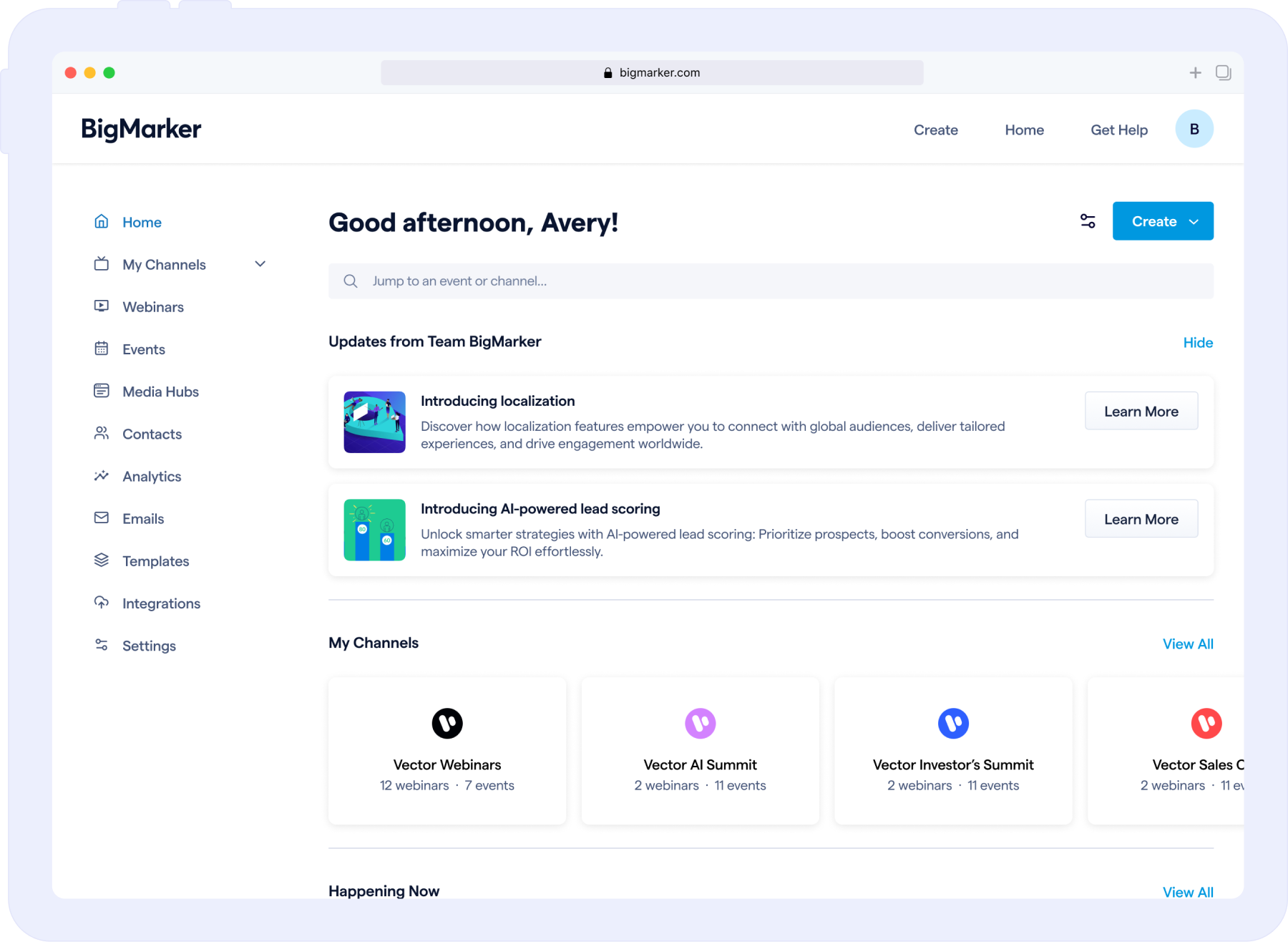
Our newly redesigned homepage dashboard provides instant, centralized access to all your content, channels, and settings. Featuring streamlined navigation and advanced analytics, it empowers users to uncover key insights, make smarter decisions, and manage events with ease. By simplifying workflows and boosting productivity, this upgrade helps drive better audience engagement and maximize ROI for your business.
When you log in to BigMarker, you’ll be greeted with a streamlined dashboard designed to put everything you need at your fingertips. Let’s explore the features and layout of the new experience.
Home: A Central Hub for Your Content
The homepage of your dashboard provides a holistic view of all your content. By default, you’ll see a categorized list that includes:
- Channels
- Currently live webinars
- Upcoming webinars
- Upcoming series or events
- Media hubs
Each webinar or series is just a click away—selecting any row takes you directly to its individual dashboard.
Customizable Views
Tailor your experience by clicking the Customize View button. Hide, show, or rearrange categories to fit your workflow.
.png)
Whether you’re prioritizing analytics, content, or event management, this feature ensures your dashboard is organized to match your specific needs, helping you work smarter and more efficiently.
Webinars: All Your Events in One Place
The Webinars page is your central hub for managing all your webinars, intuitively organized into four categories: Upcoming, On-Demand, Past, and Evergreen. This streamlined structure makes it easy to locate and manage your events at any stage of their lifecycle.
From this page, you can:
- Access individual webinar dashboards to monitor performance and make updates.
- Quickly enter live webinar rooms for events currently in progress.
- Seamlessly transition between different webinar types to manage your content effectively.
.png)
With everything in one place, the Webinars page simplifies your workflow and ensures you’re always in control of your sessions.
Events & Media Hubs
The Events page mirrors the organization of the Webinars page, showing your upcoming and past events. For Media Hubs, you’ll see a full list of available hubs.
Features include:
- Search by title to quickly locate specific items.
- Analytics access for detailed performance insights.
Channel List: Stay Organized at a Glance
The Channel List page provides an overview of all channels where you’re an admin. Each channel card offers a snapshot of its content volume. Click any card to dive deeper into the specific channel dashboard.
.png)
Individual Channel Dashboards: All-in-One View
When you select a channel, you’re taken to a dedicated dashboard for that channel. Here, you’ll find:
- Filters for webinars, events, and tags.
- Options to filter by the webinar creator.
- Switchable views between table and list formats.
These tools make it easier than ever to personalize your view and locate specific content.
.png)
Advanced Analytics Tools
Our enhanced analytics tools empower you to make smarter, data-driven decisions, transforming how you manage and optimize your events. Here's what you can do:
- Access Analytics Across Channels: Easily review performance metrics for any channel you manage, allowing you to pinpoint trends and areas for improvement.
- Create Custom Dashboards: Tailor analytics views to align with your specific goals, whether it's tracking attendee engagement, conversion rates, or audience demographics.
- Download Detailed Reports: Generate comprehensive reports for specific timeframes to share with your team or stakeholders, providing a clear picture of performance over time.
- Monitor Overall Channel Performance: Stay on top of key metrics with real-time updates, helping you make informed decisions and adapt your strategy quickly.
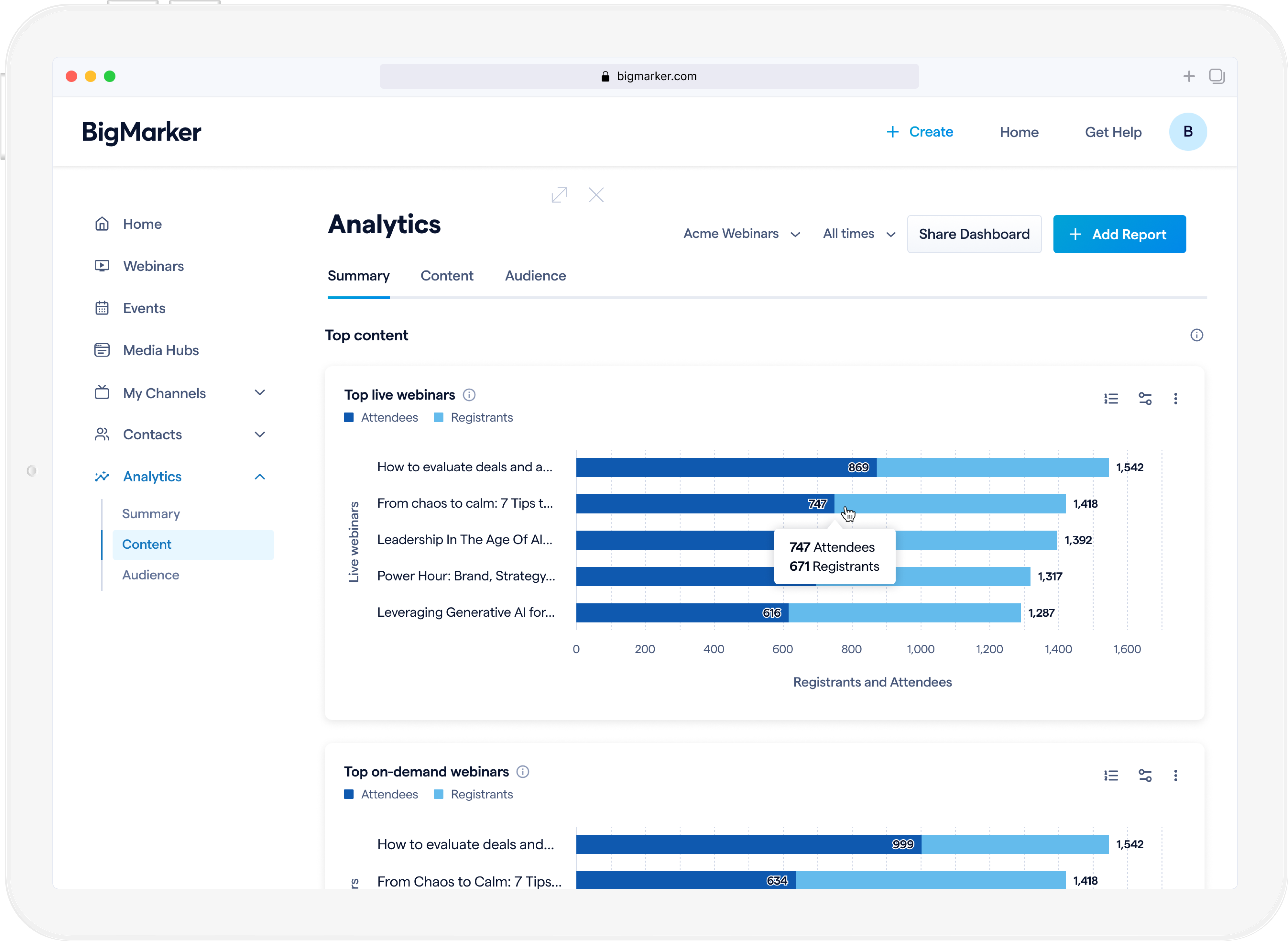
These advanced analytics features streamline your reporting processes and provide actionable insights that drive event success. By understanding your audience and optimizing performance, you’ll improve engagement, enhance attendee satisfaction, and ultimately increase ROI.
Want to change your dashboard layout?
You can easily switch between the Classic and New Experience in just a few steps:
1. Log into BigMarker and click your avatar in the top right corner of your home dashboard.
2. Select Settings from the dropdown menu.
3. Go to Global Profile and scroll to find the setting for "Home Page Style".
4. Choose the "Classic" or "New Experience" layout, save your changes and enjoy!
It’s that simple. Customize your experience the way you like it! If you require any assistance, please email support@bigmarker.com for additional guidance.
Empower Your BigMarker Experience
Our updated homepage dashboard and channel experience are designed to help you stay organized and maximize your impact. Dive in today to explore a more intuitive way to manage your webinars, events, and channels.